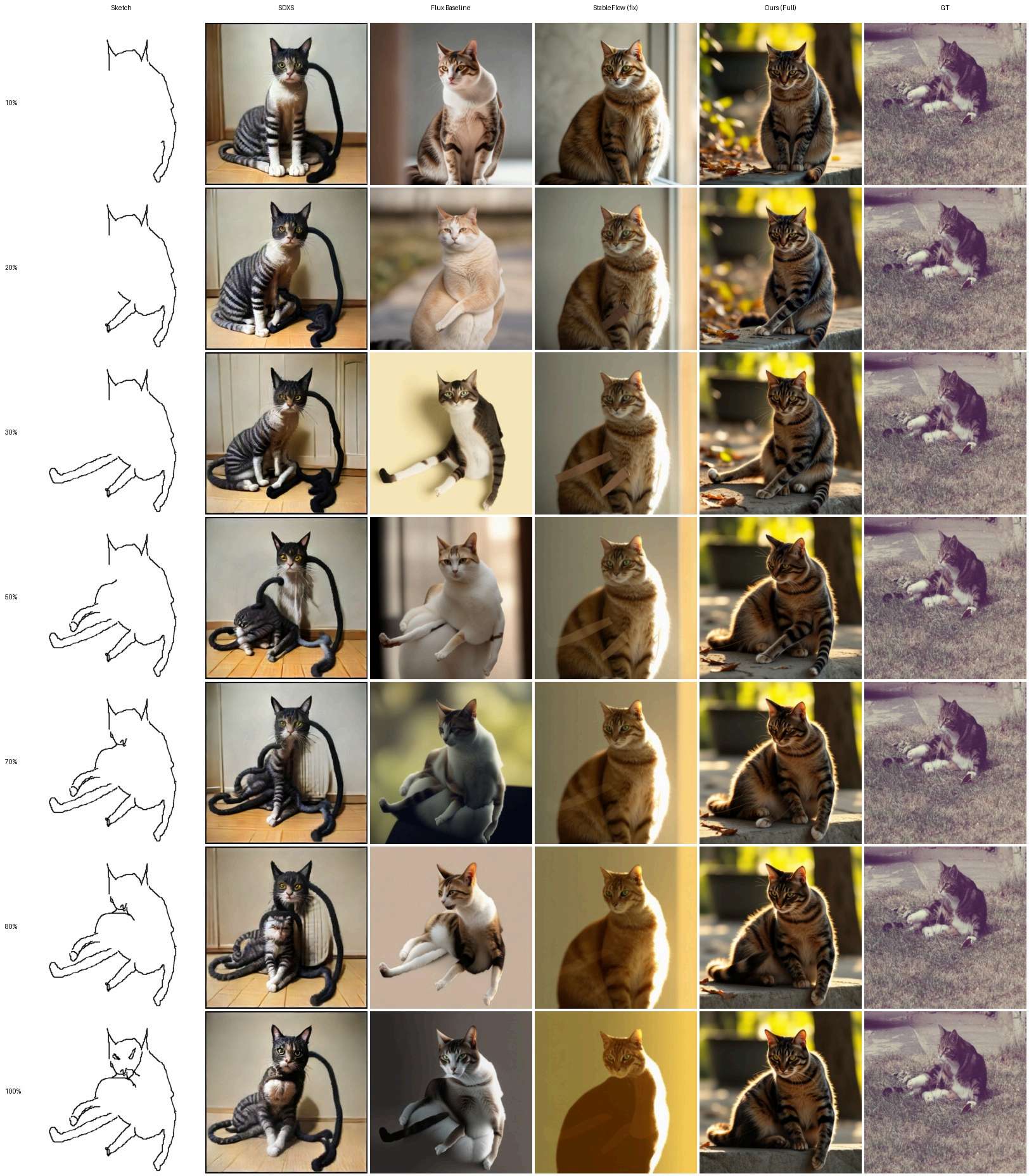
Cat
Figure 13 · Complete seven-stage comparison
Open demo videoRecorded session · 1:11
Humans draw progressively: a few strokes, a look at the result, a stroke erased, a prompt revised. Image generators do not work this way. They typically take a finished sketch and produce the image in a single pass, so every edit starts the picture again, and the models that do keep state across turns are driven by text, cannot take a stroke, and are too slow to draw with. We present ProgressNet, a training-free framework that lets a frozen text-to-image model follow a drawing session as it unfolds: strokes are added and erased, the prompt is revised, and the image keeps up at about a second per turn.
It needs no new parameters because the frozen model already has what a progressive generator needs, a pathway through which the previous turn can be remembered, layers that can carry appearance forward without freezing structure, and an internal signal of how far to trust an unfinished sketch; three inference-time mechanisms (Previous-Concept Memory, Layer-Selective K/V Injection and Banded Adaptive Control) use each in turn. As a sketch fills in, every existing method degrades, the FID of the FLUX+ControlNet baseline doubling between 10% and 100% completion on FS-COCO, while ProgressNet’s barely moves; it maintains strong fidelity and progressive coherence across three sketch domains and is preferred by users over five competitors, most widely on erasure.
Start with the drawing experience, then follow how ProgressNet remembers the previous image, reuses attention features, and adapts memory control.
2:37.5 · 1080pOpen videoDownload 60 fps versionRead the method
Drawing, erasure, and prompt revision through complete interaction sequences. Click any figure to inspect the original images at a larger size.
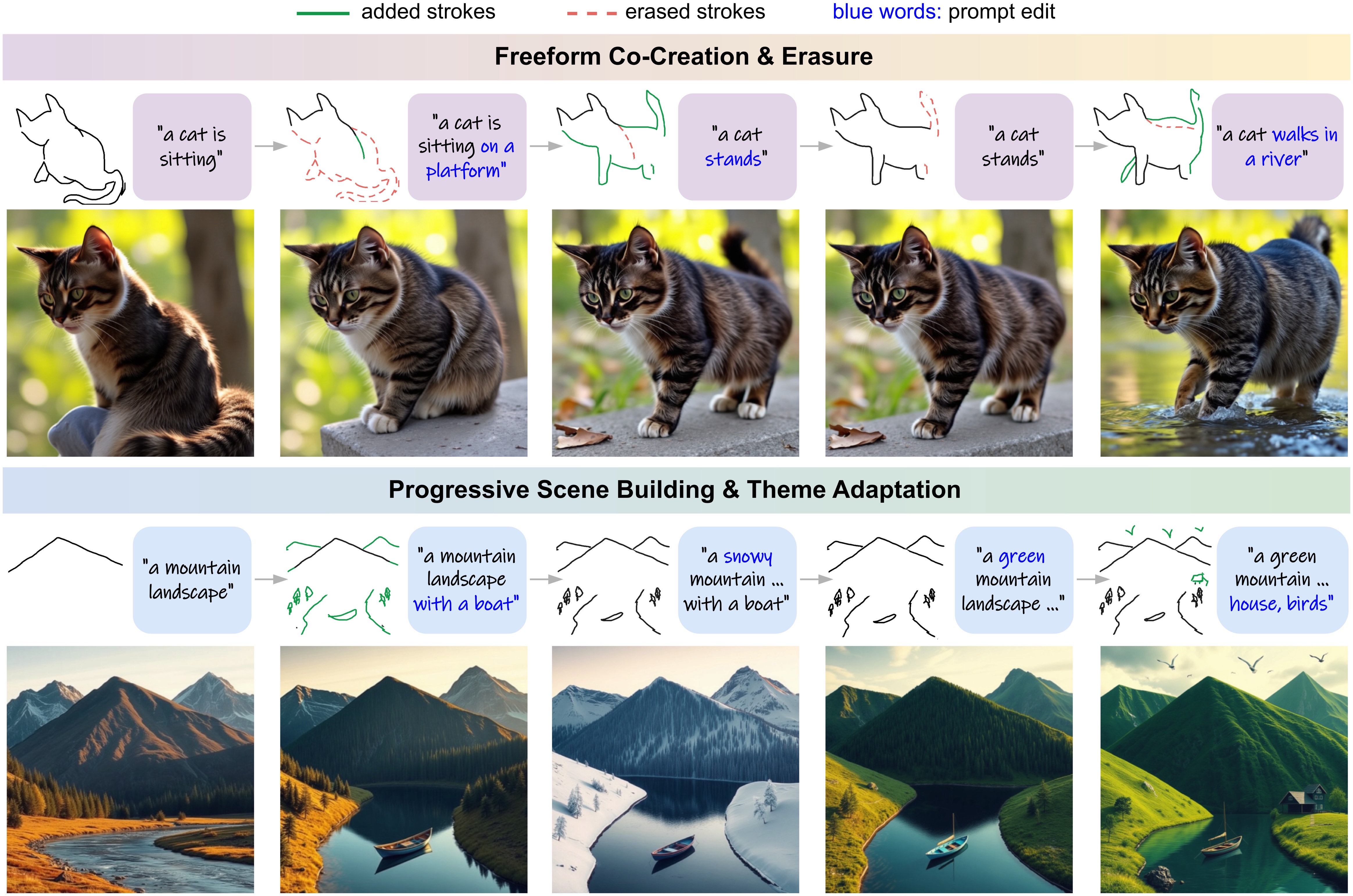
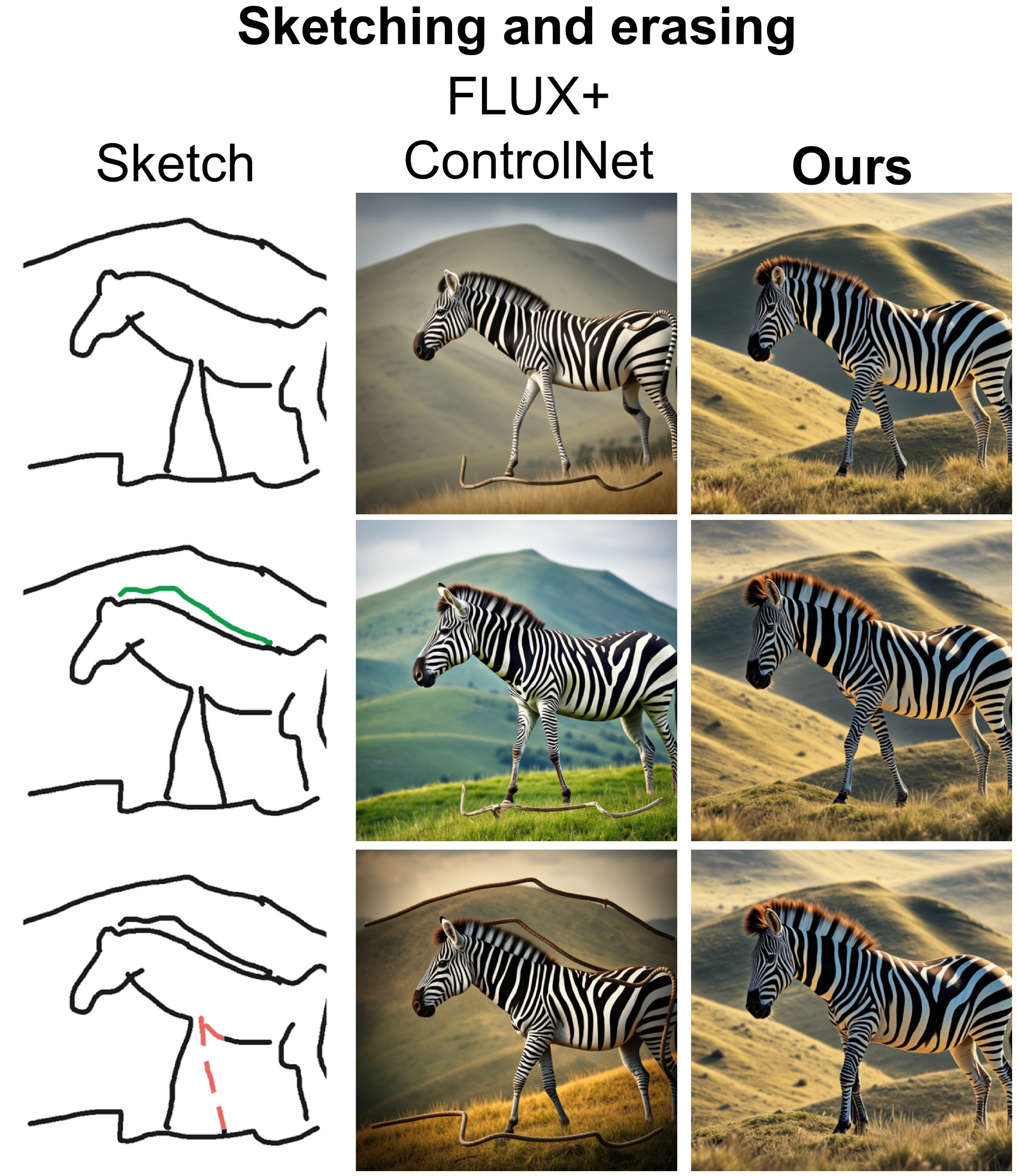
Drawing and erasure. Green strokes mark additions; red dashed strokes mark removals.
Prompt changes. Blue words identify the revised instruction. Every sketch, prompt, and output is retained.
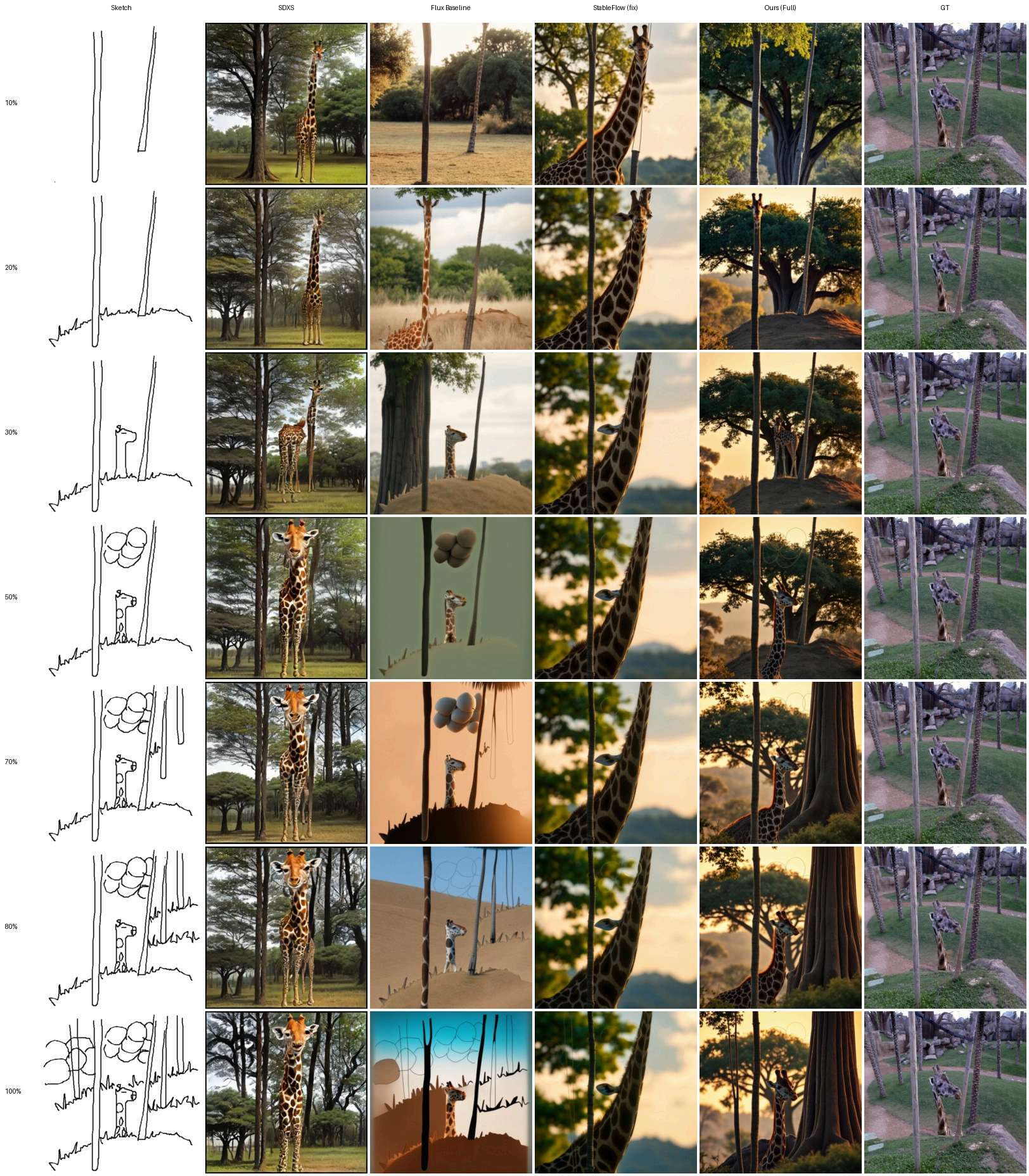
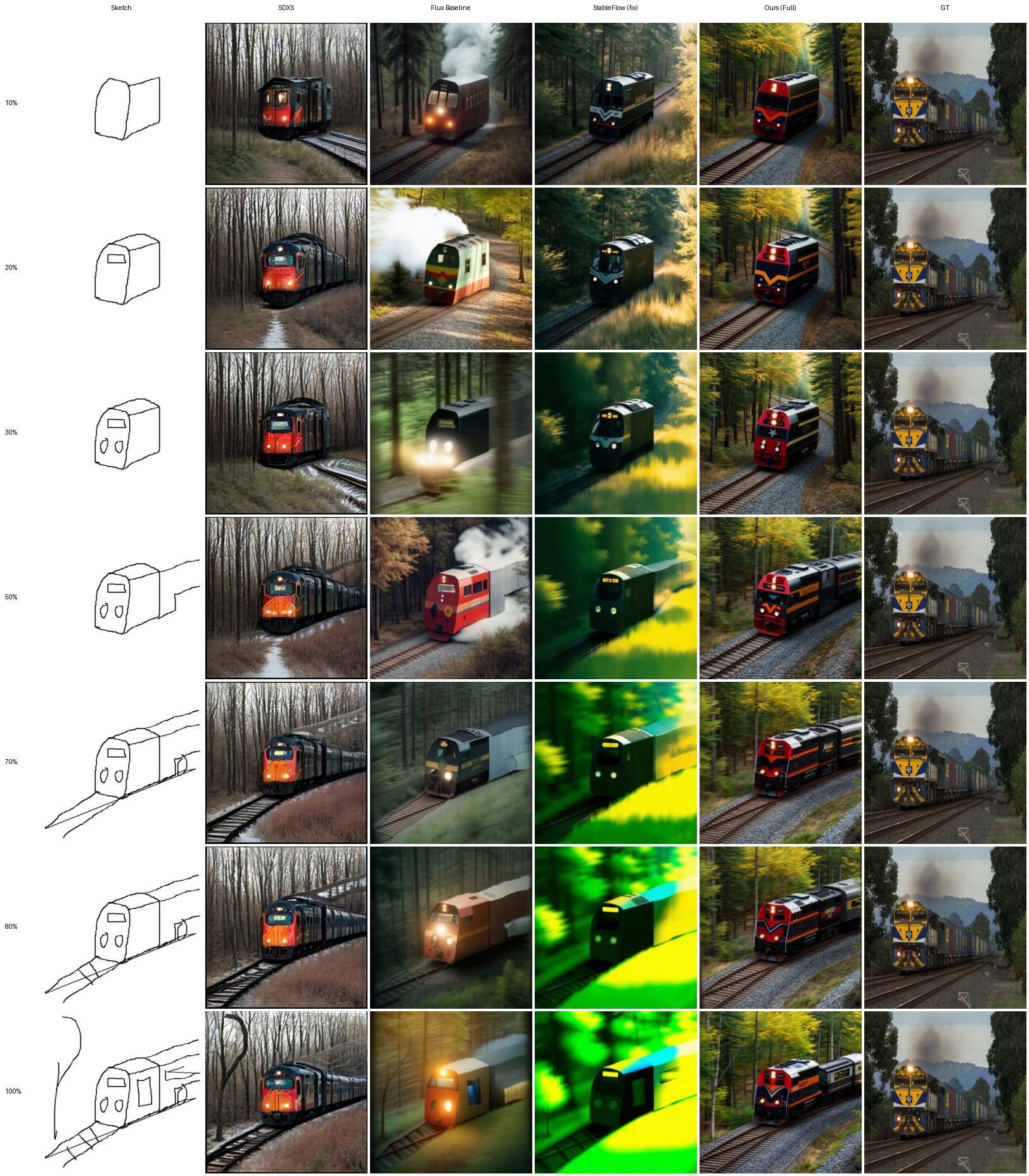
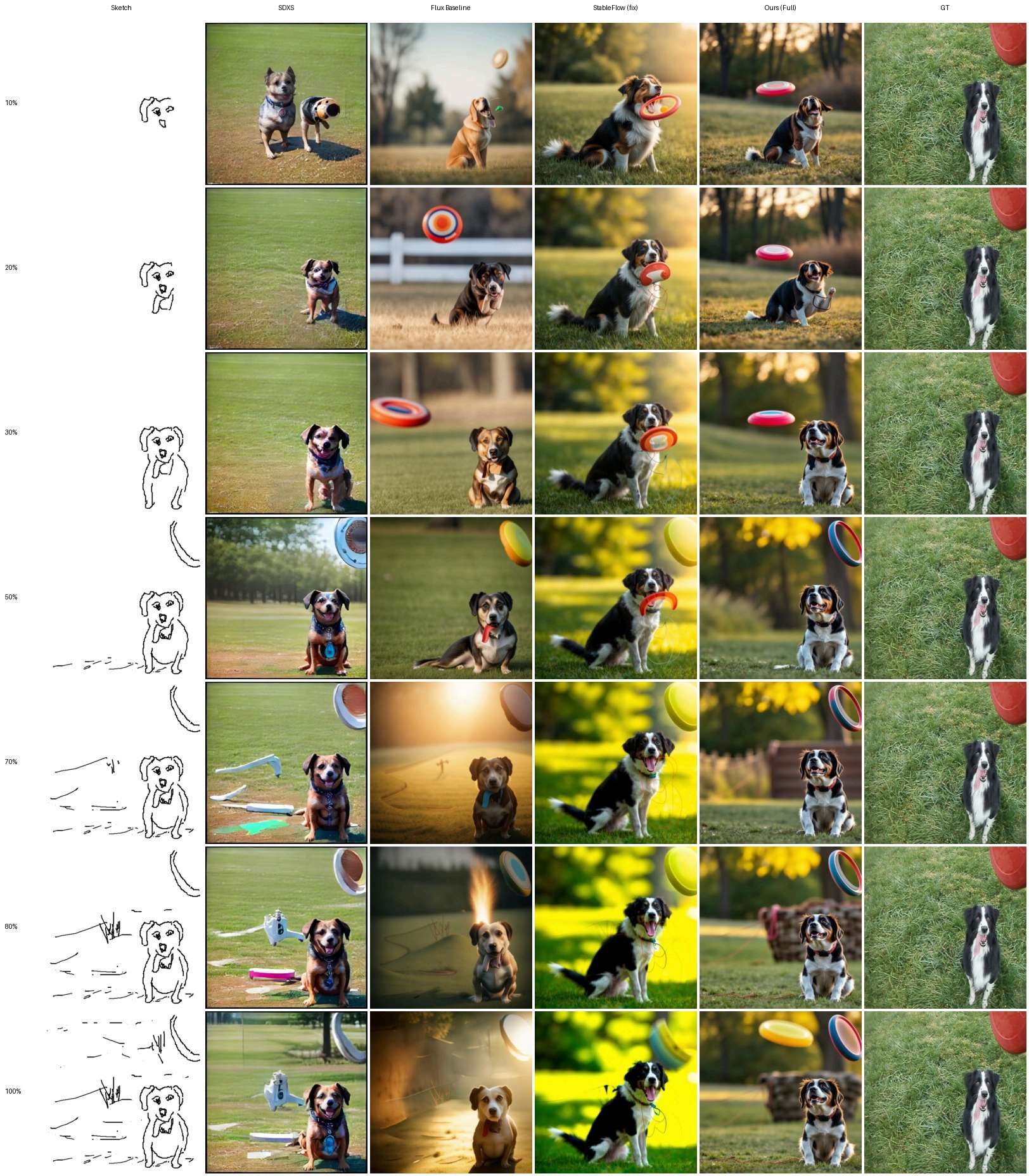
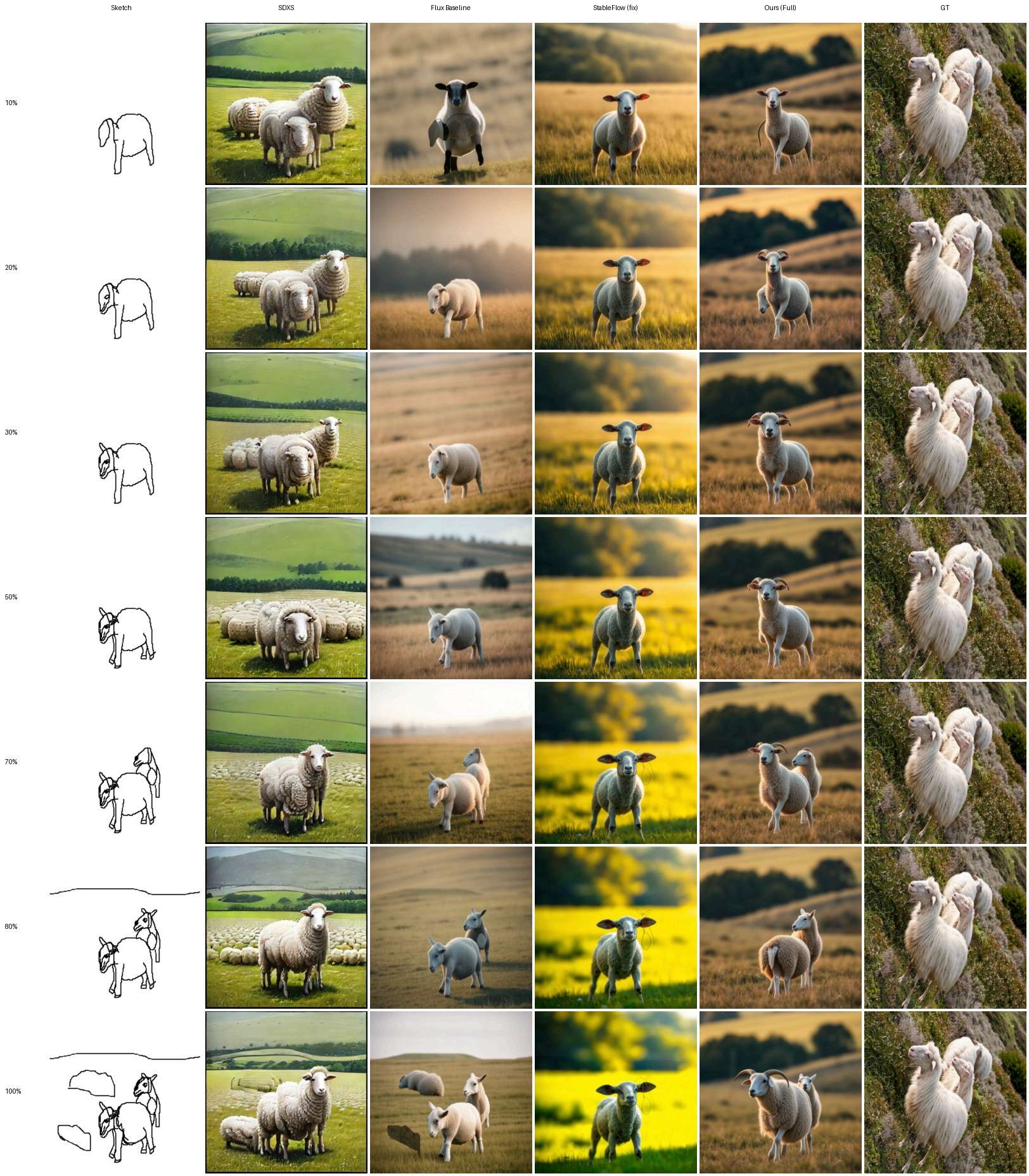
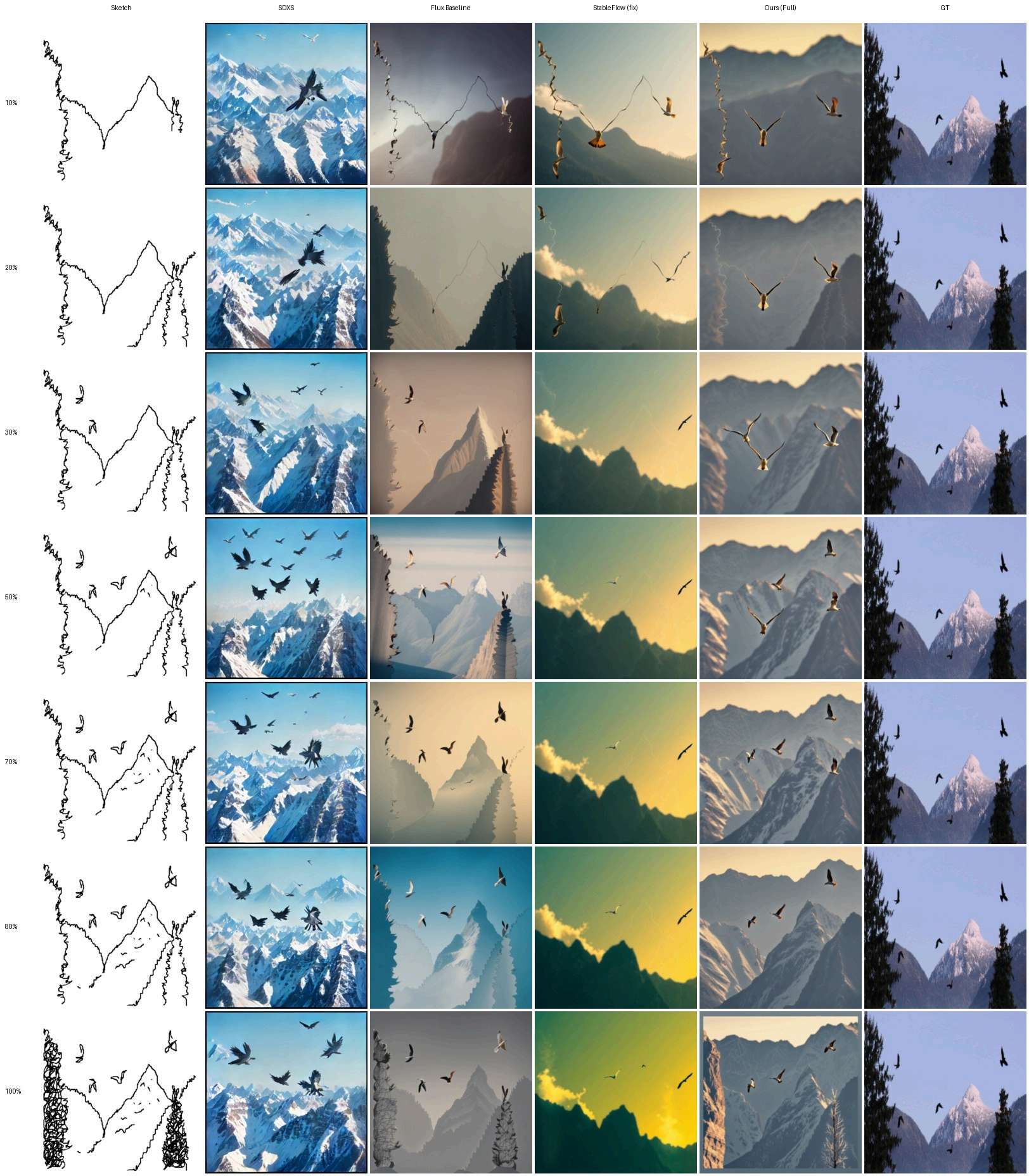
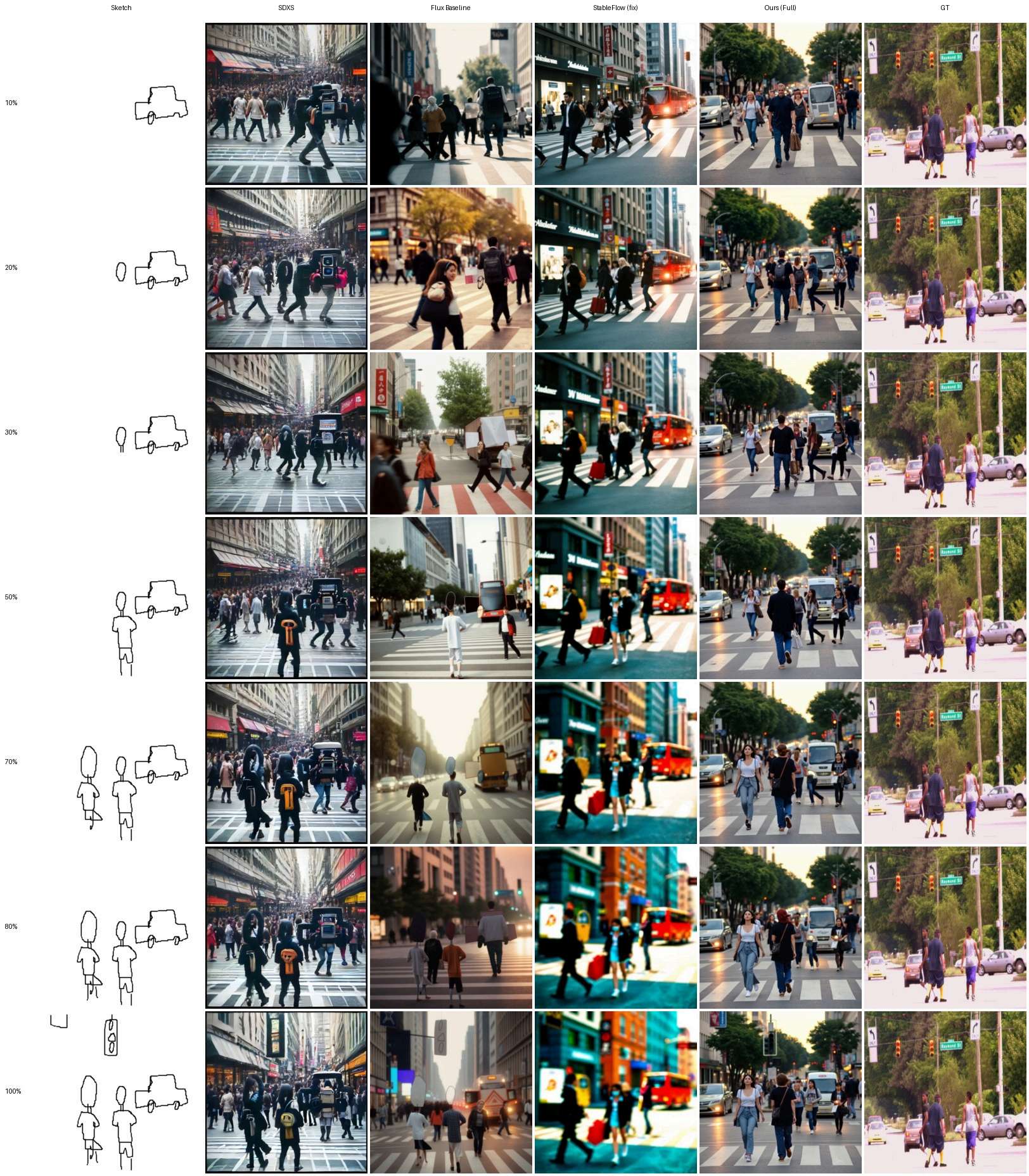
Selected sequences at 10%, 50%, and 100% completion. The full seven-stage comparisons are available beneath each example and in the gallery below.
Prompt: “a giraffe is standing near a tree.”
Prompt: “a train moving through the woods.”
Prompt: “A dog sitting and eagerly waiting to catch the frisbee.”
Prompt: “sheep standing in a field.”
Prompt: “Few birds are flying over the mountains.”
Prompt: “People are crossing the busy streets.”
23 sequences from Figures 13–35. Each thumbnail shows the final sketch and ProgressNet output; open it to compare all methods at 10%, 20%, 30%, 50%, 70%, 80%, and 100% completion.
Figure 13 · Complete seven-stage comparison
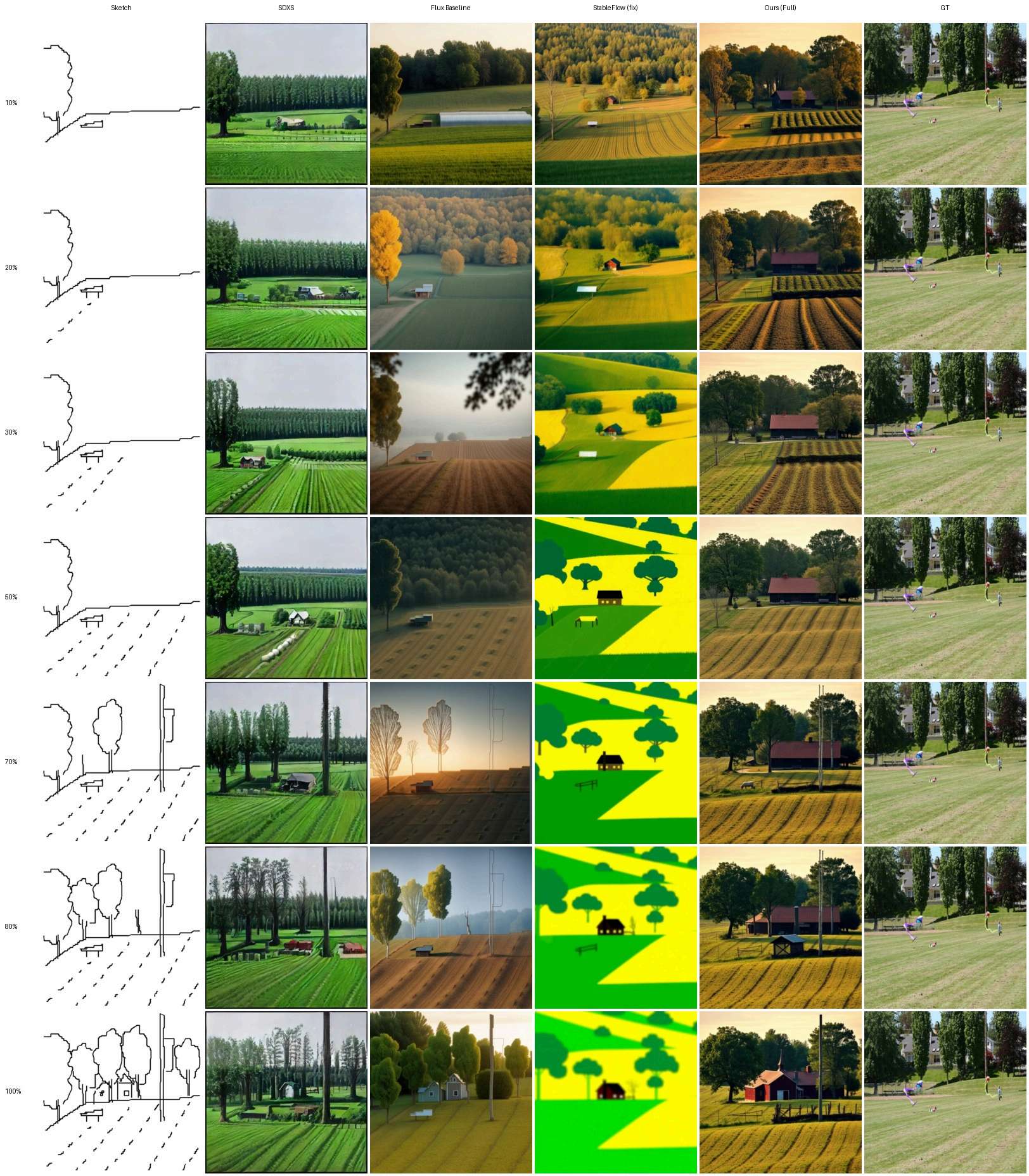
Figure 14 · Complete seven-stage comparison
Figure 15 · Complete seven-stage comparison
Figure 16 · Complete seven-stage comparison
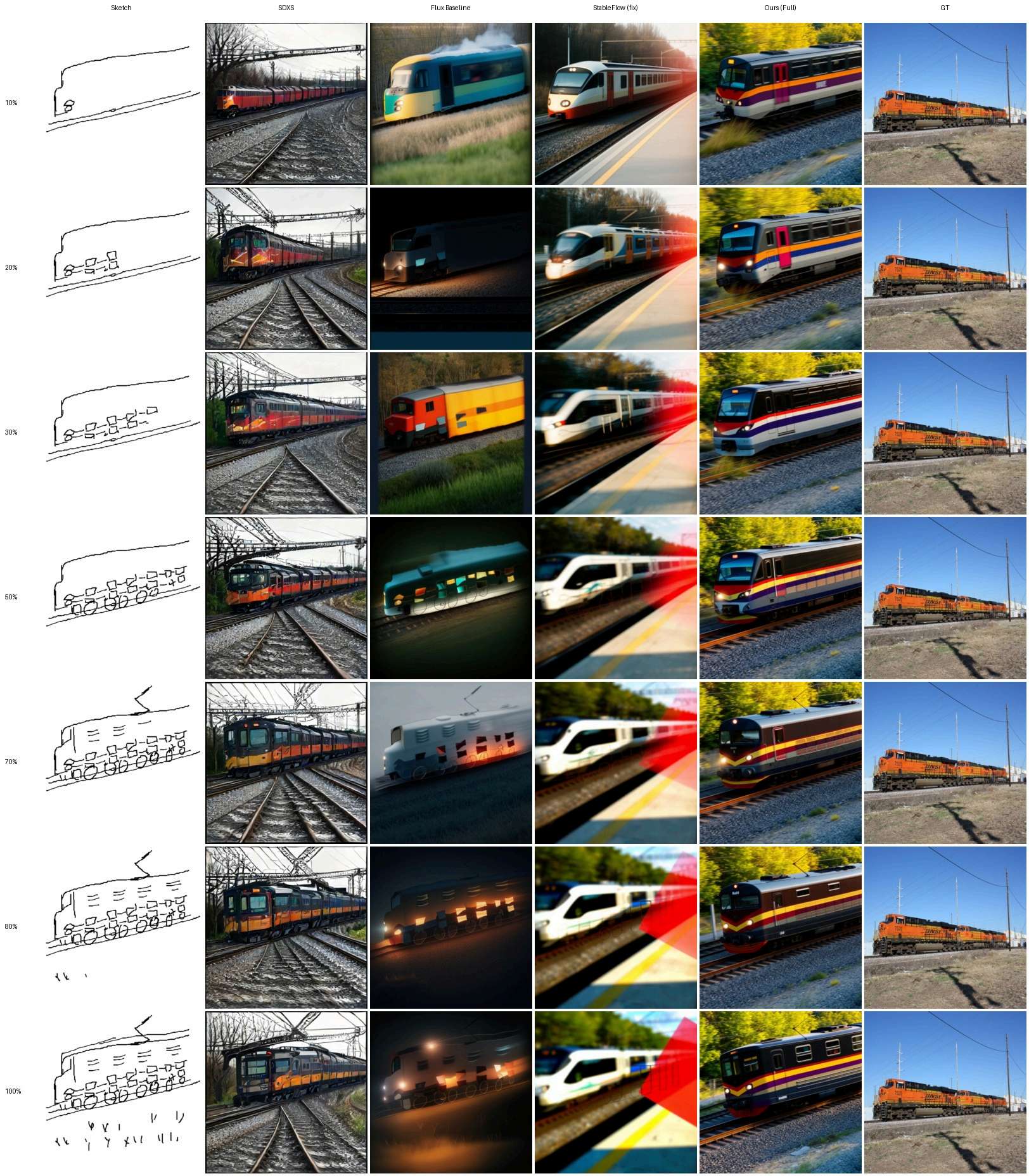
Figure 17 · Complete seven-stage comparison
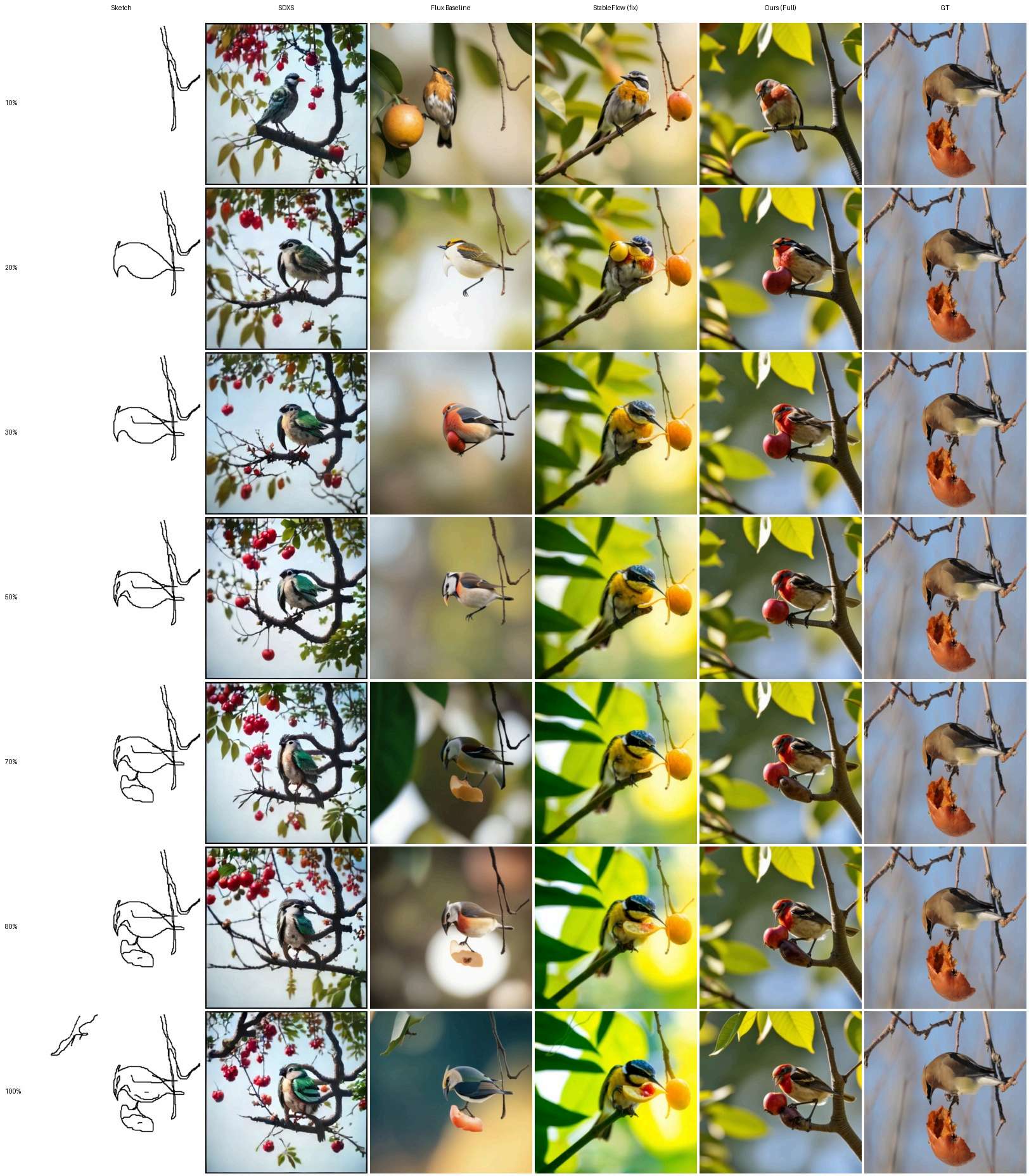
Figure 18 · Complete seven-stage comparison
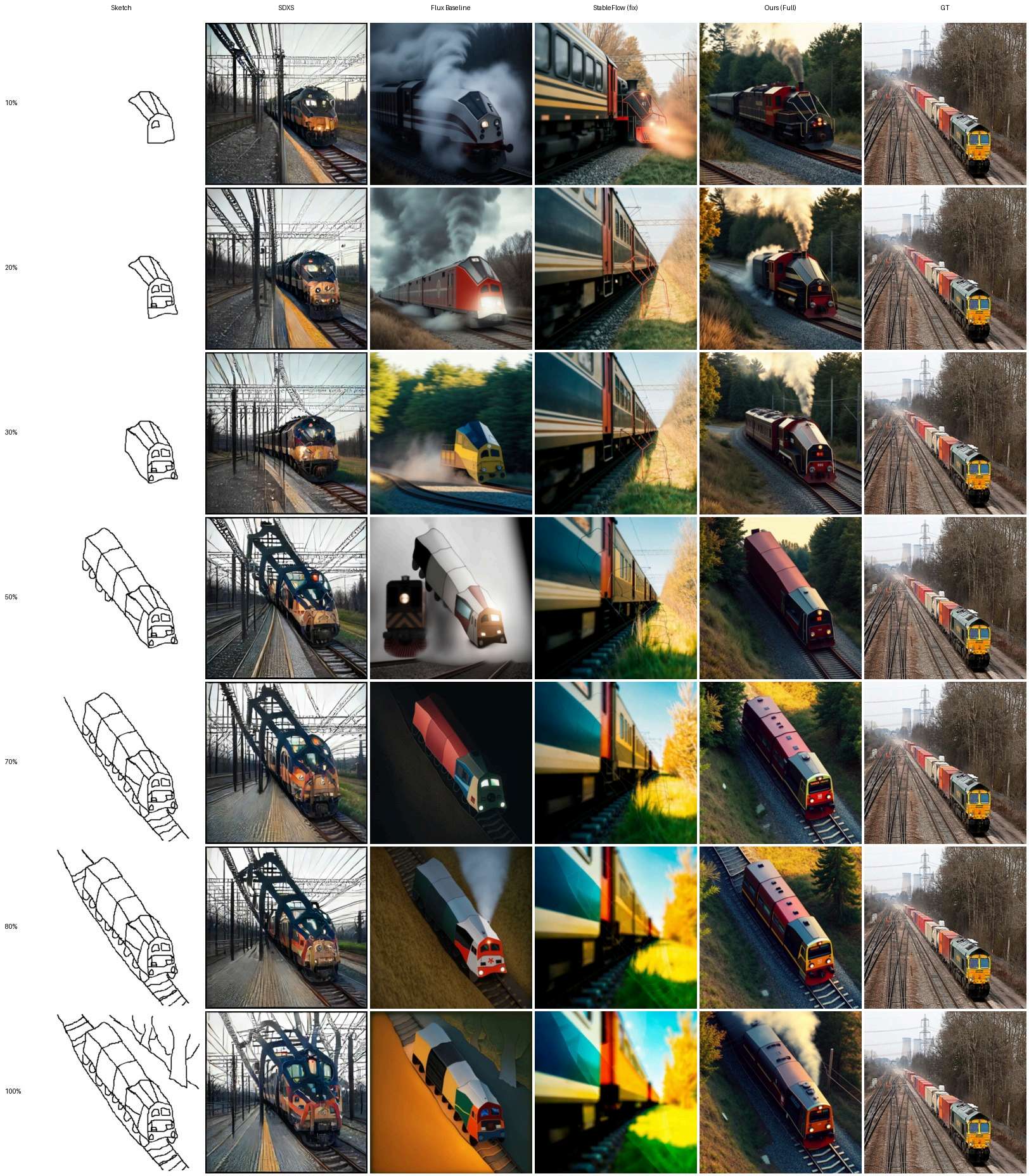
Figure 19 · Complete seven-stage comparison
Figure 20 · Complete seven-stage comparison
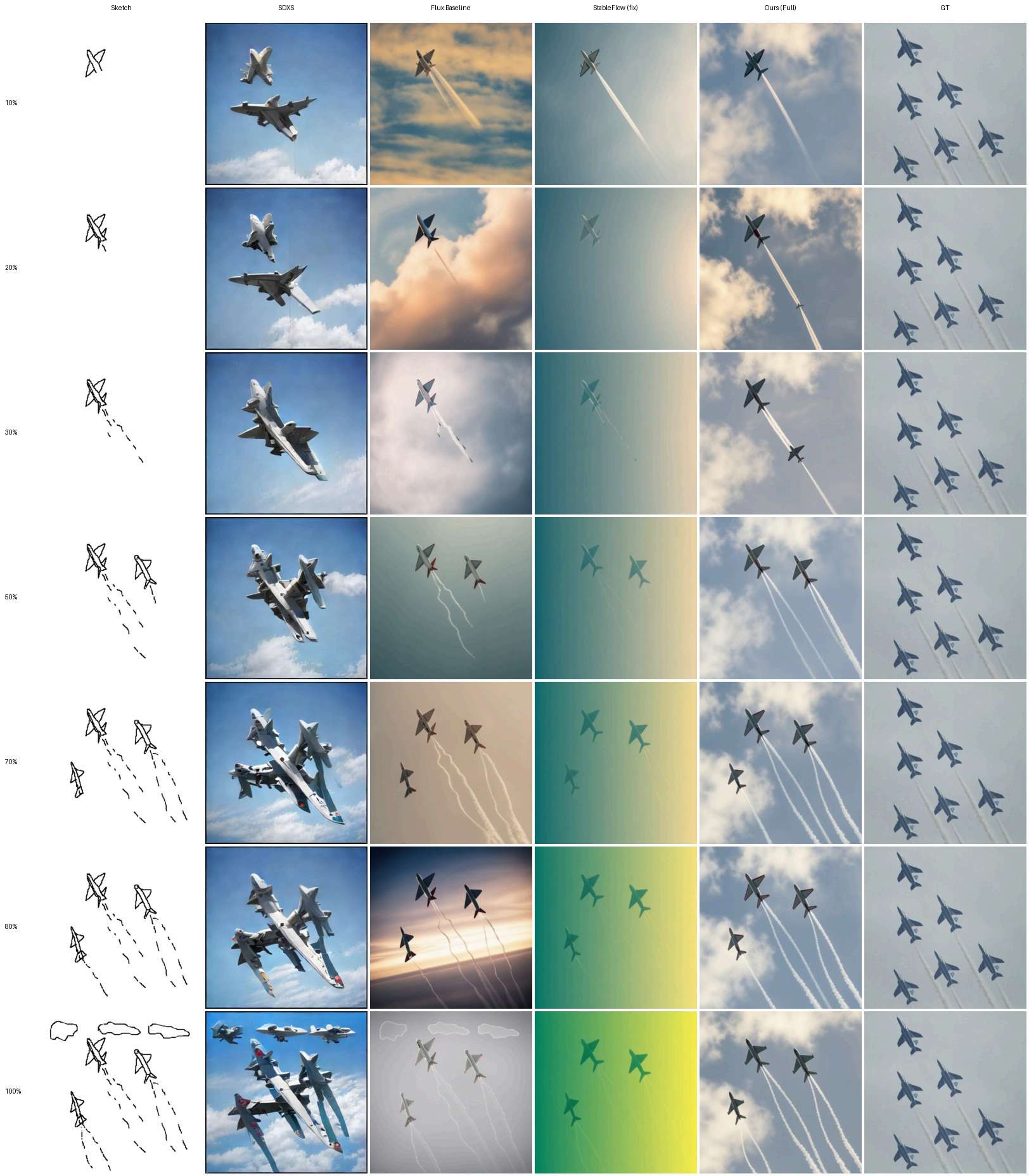
Figure 21 · Complete seven-stage comparison
Figure 22 · Complete seven-stage comparison
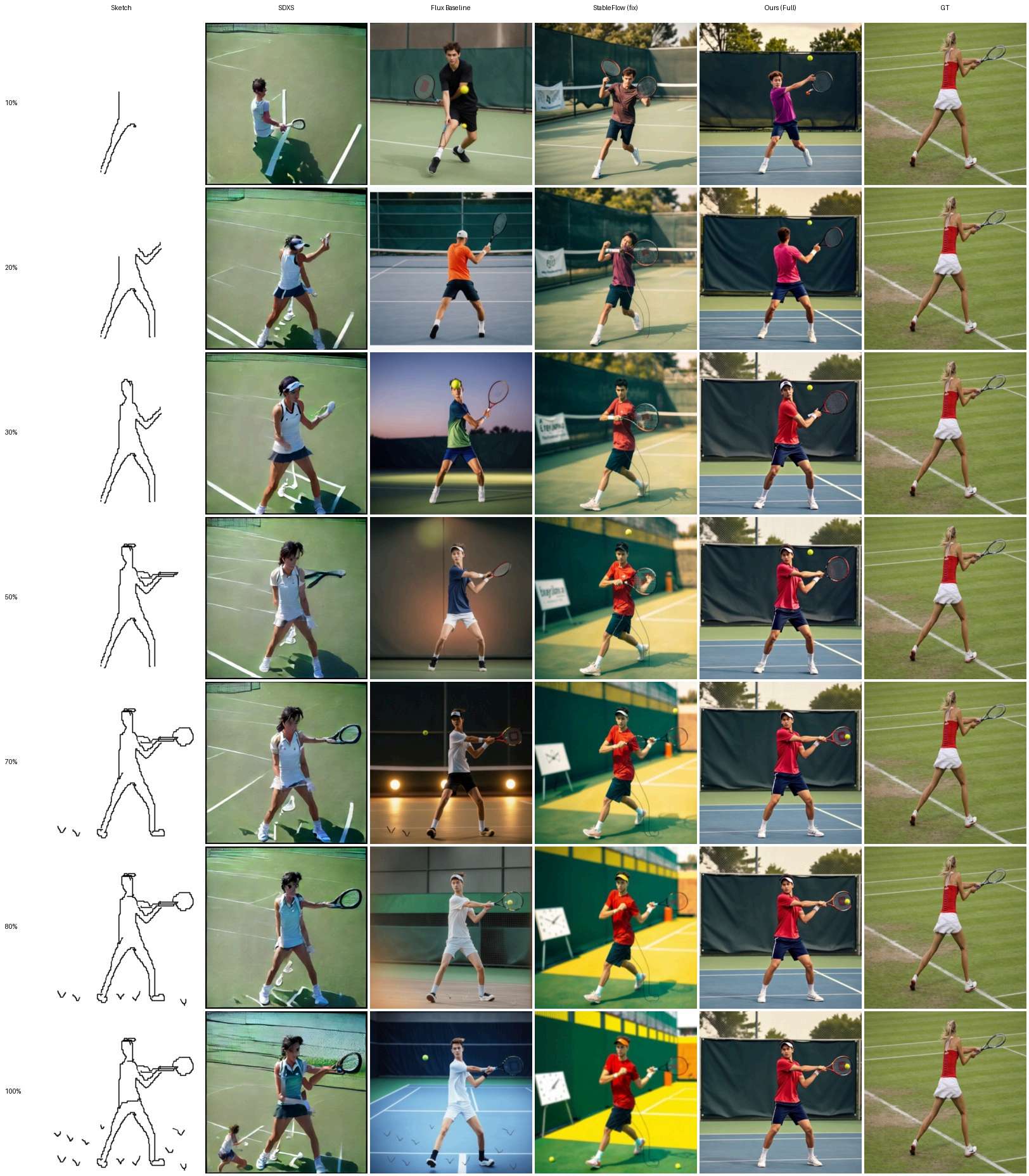
Figure 23 · Complete seven-stage comparison
Figure 24 · Complete seven-stage comparison
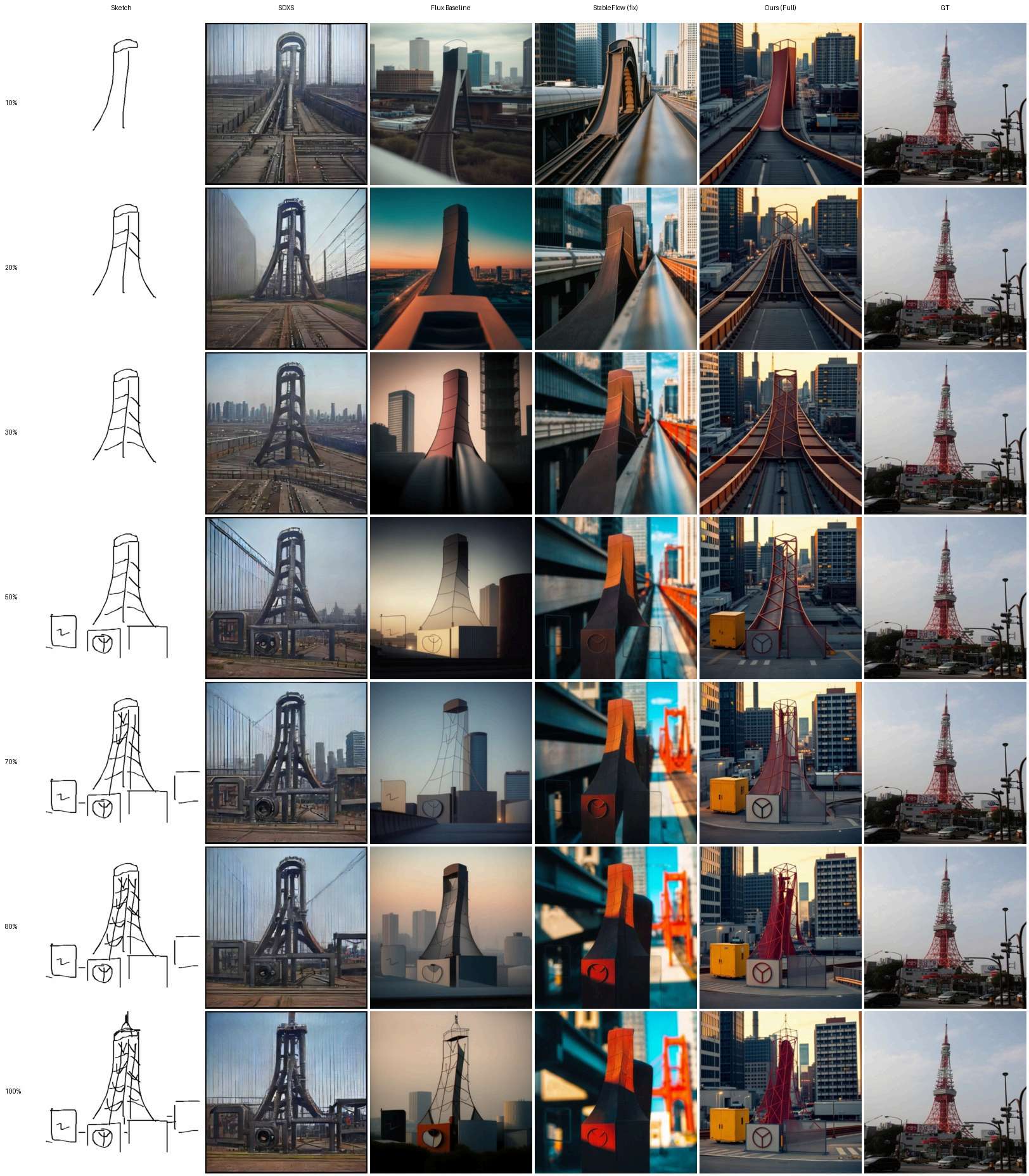
Figure 25 · Complete seven-stage comparison
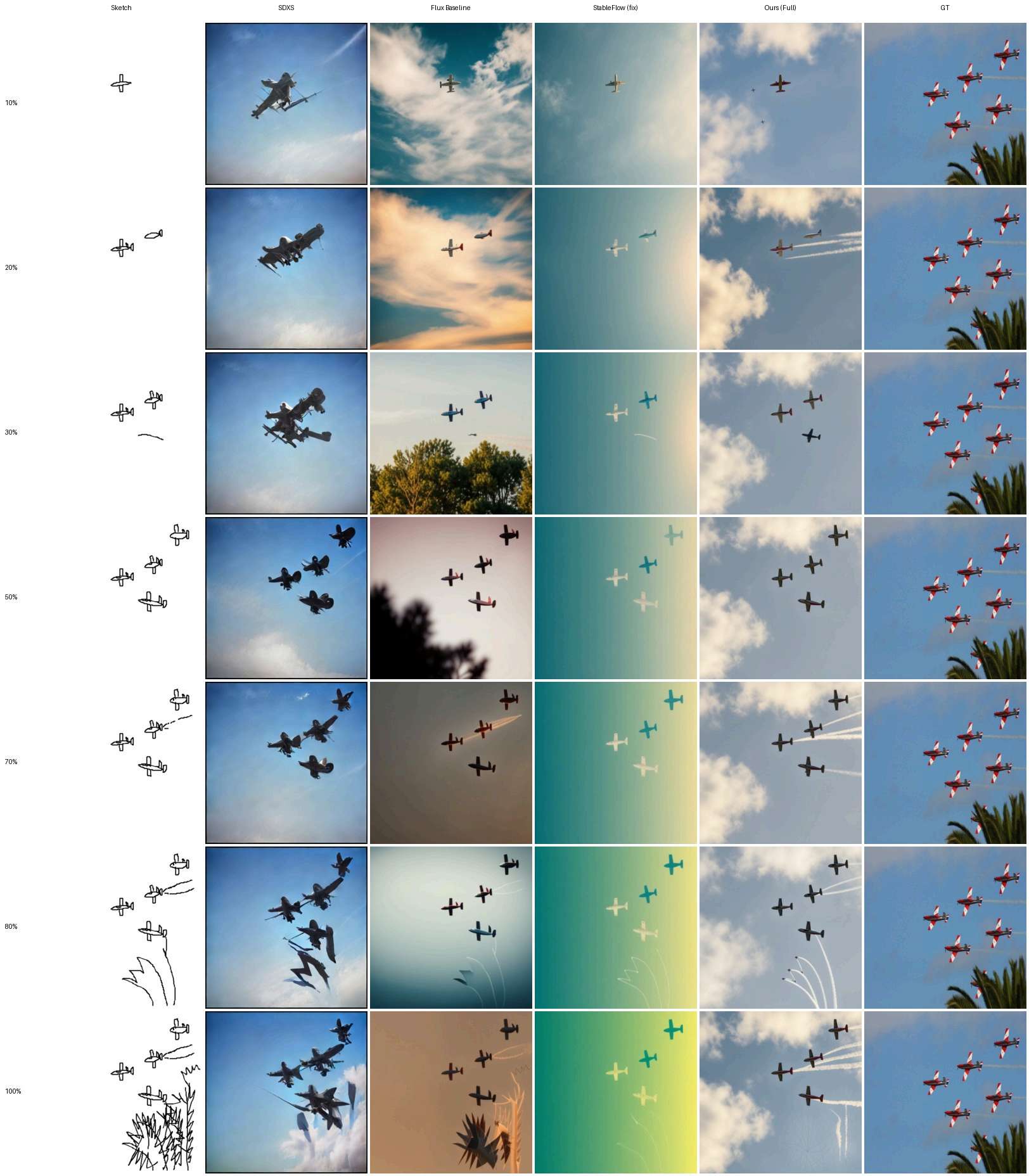
Figure 26 · Complete seven-stage comparison
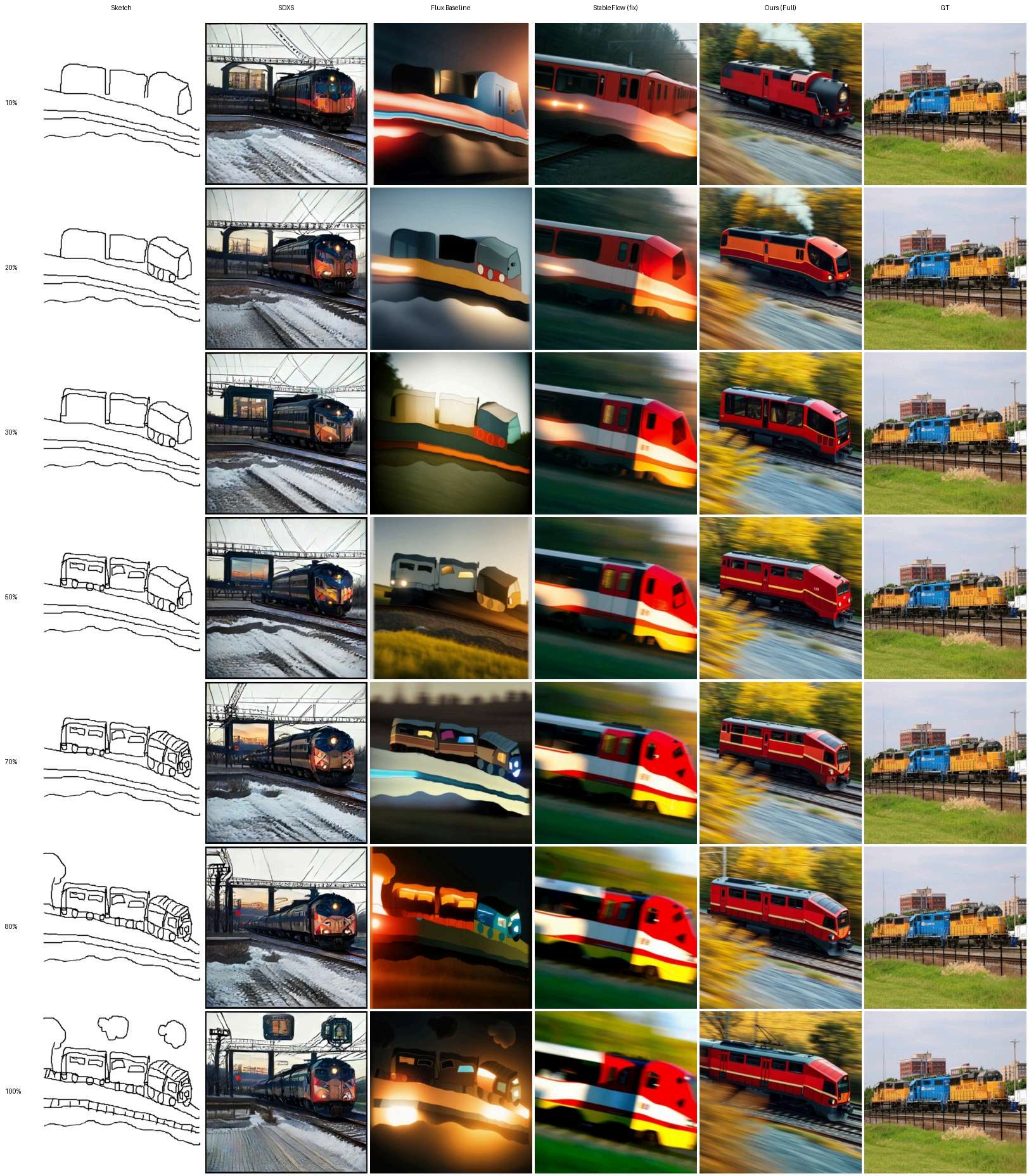
Figure 27 · Complete seven-stage comparison
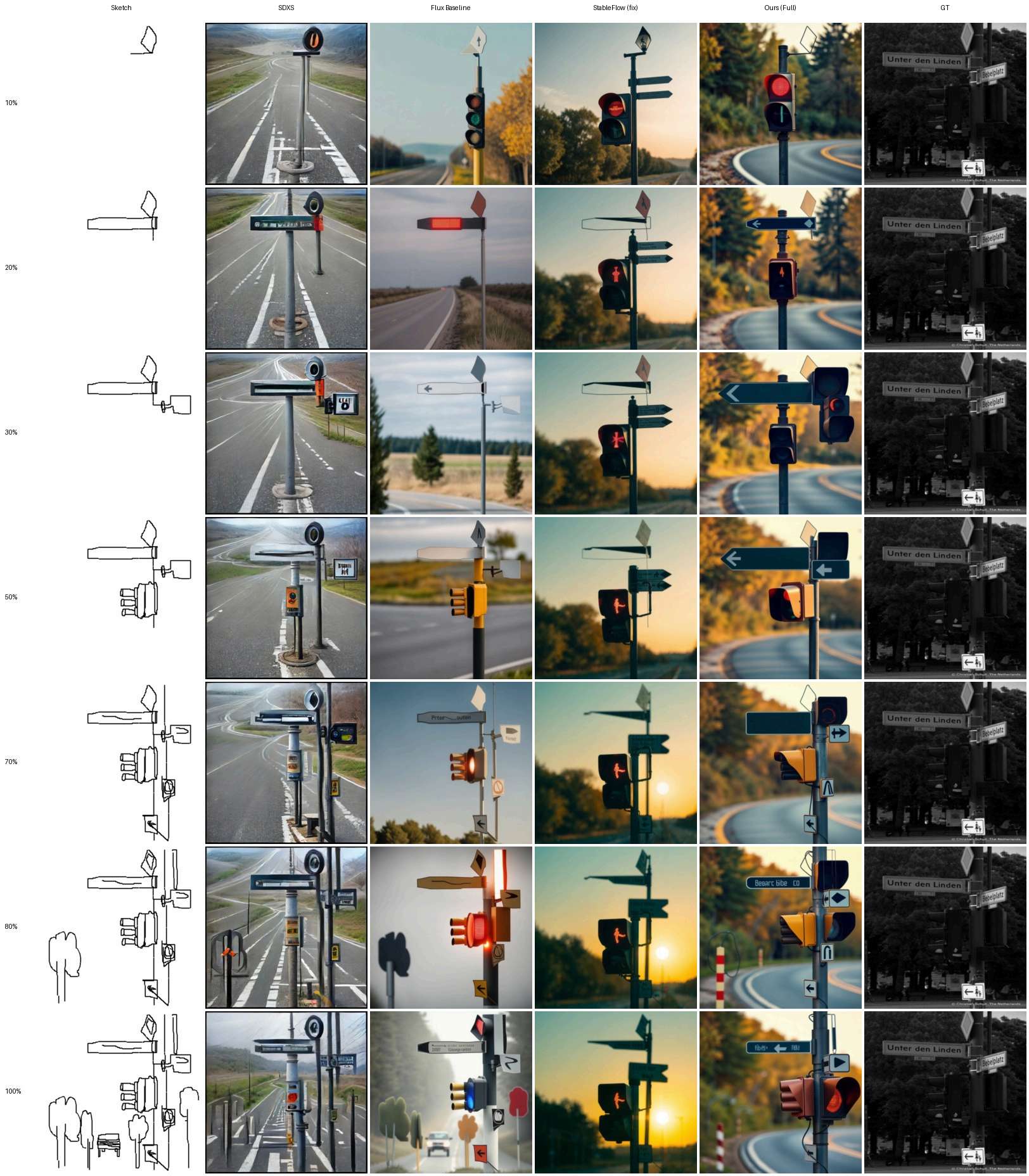
Figure 28 · Complete seven-stage comparison
Figure 29 · Complete seven-stage comparison
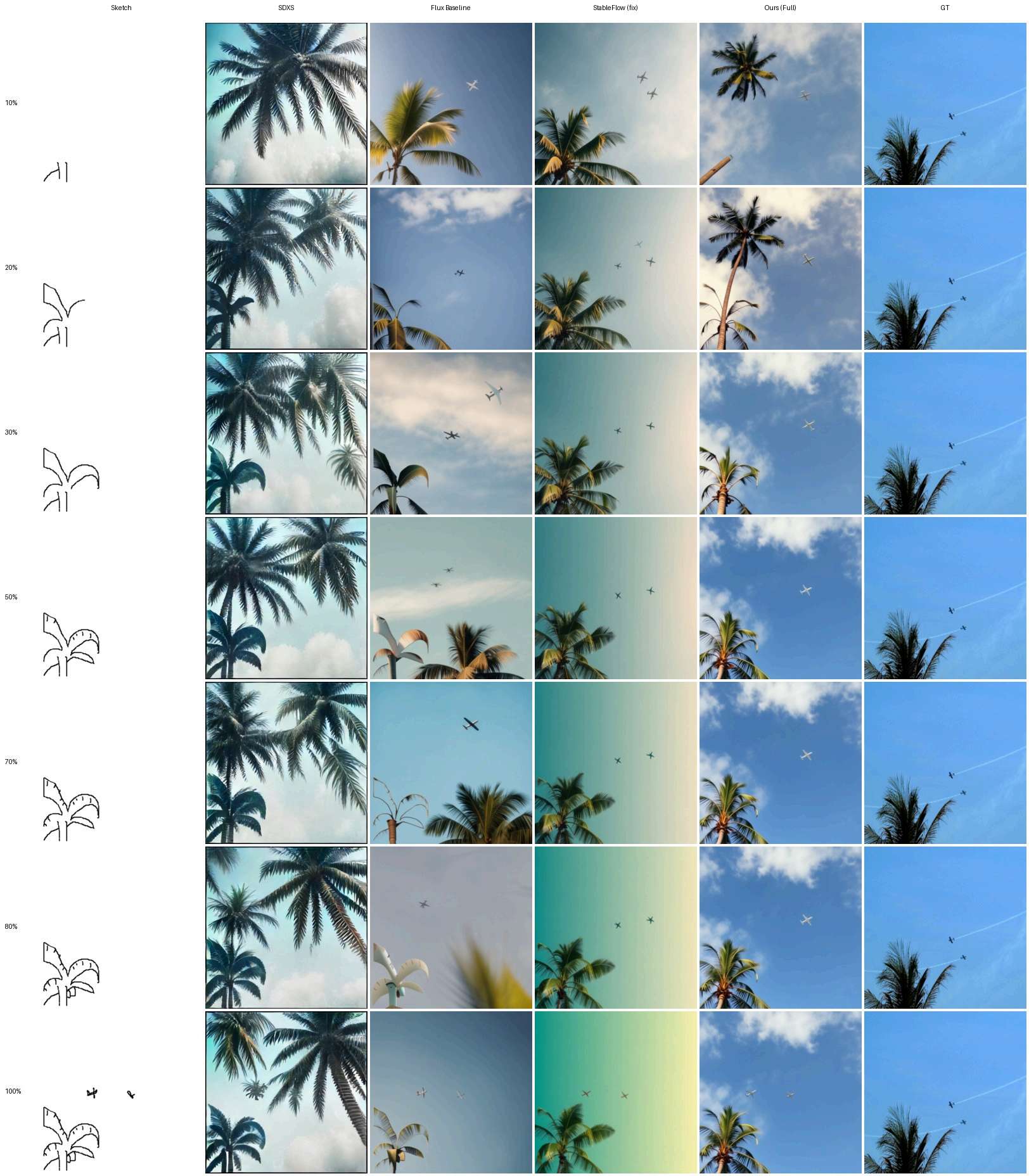
Figure 30 · Complete seven-stage comparison
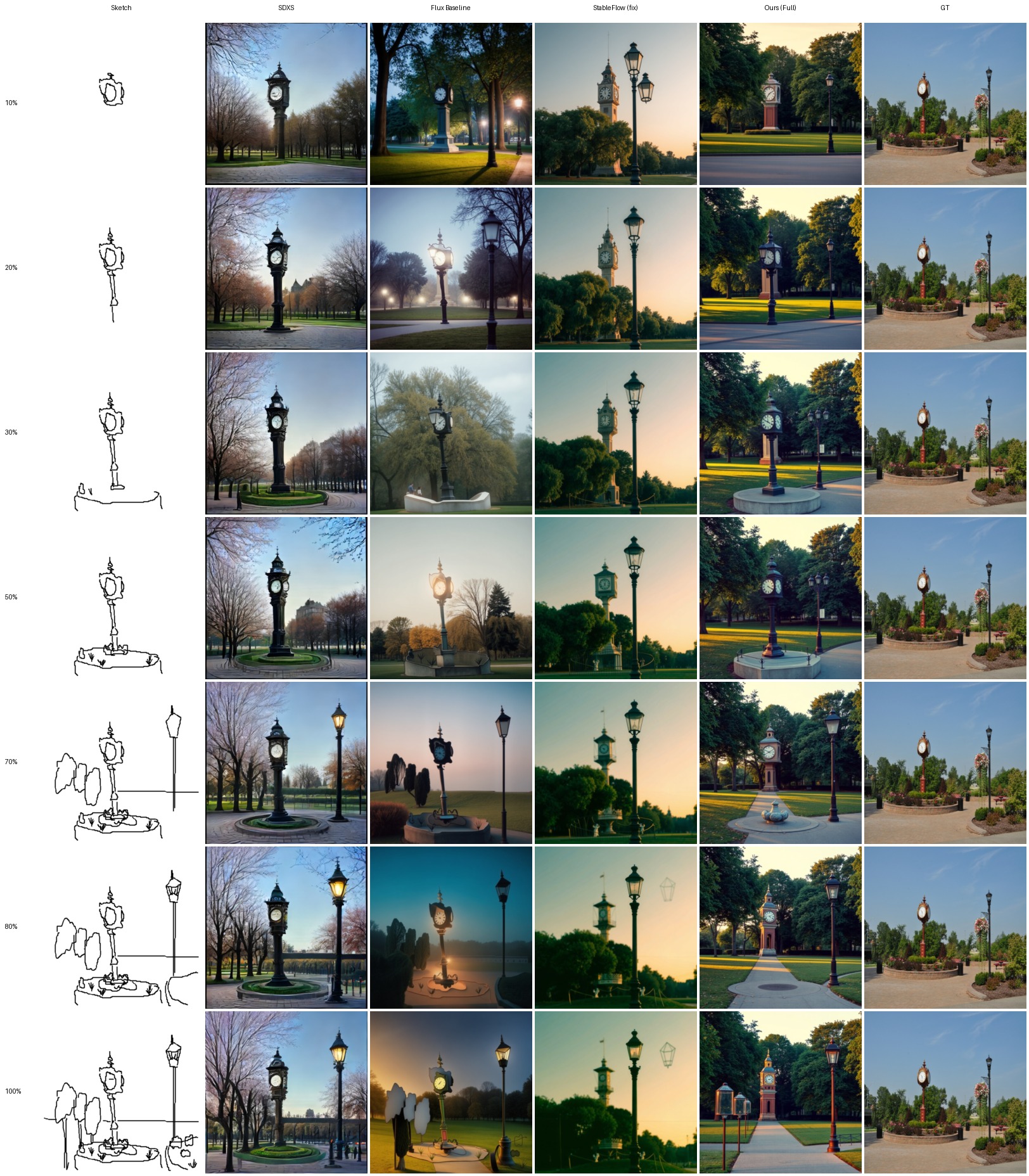
Figure 31 · Complete seven-stage comparison
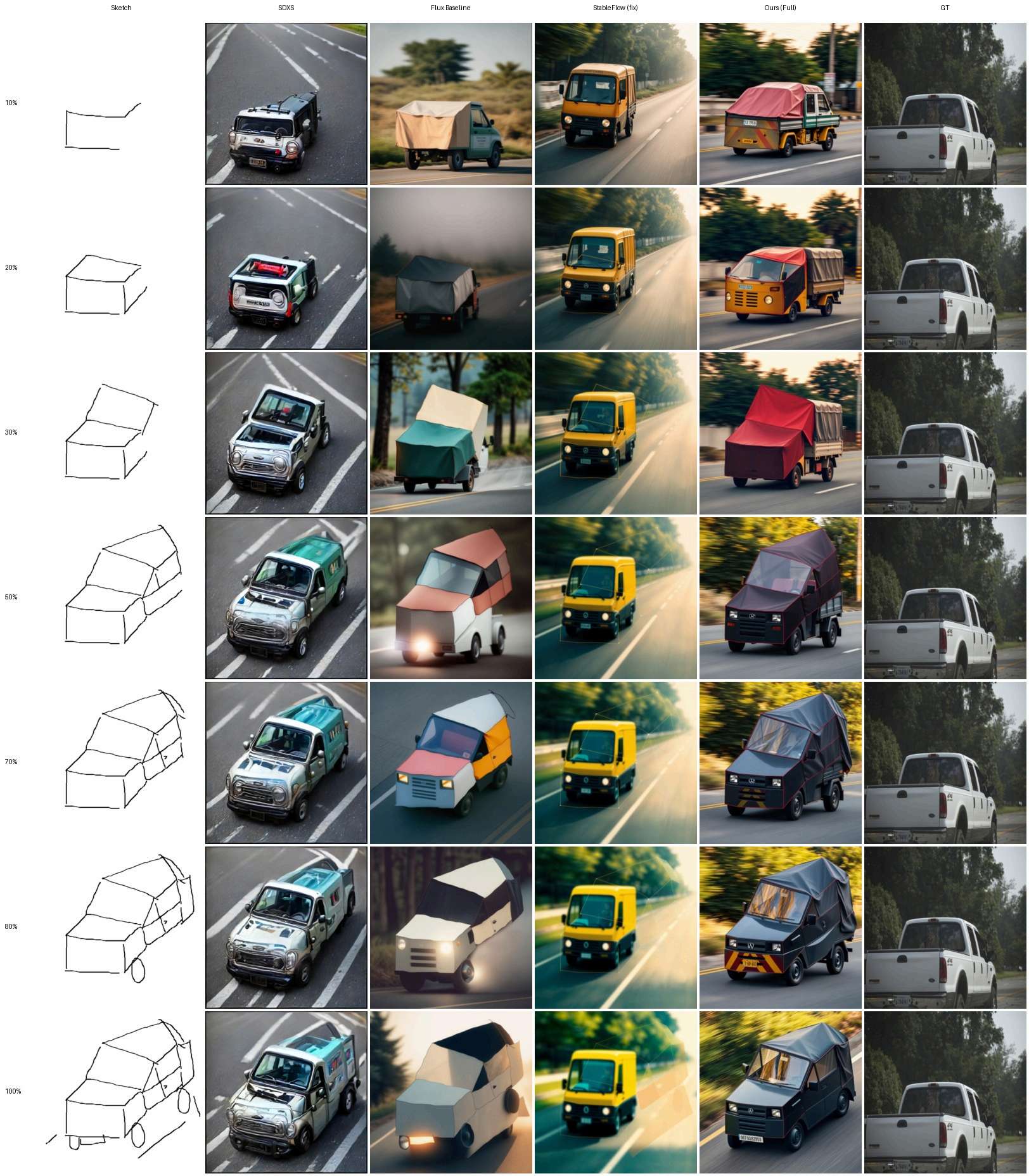
Figure 32 · Complete seven-stage comparison
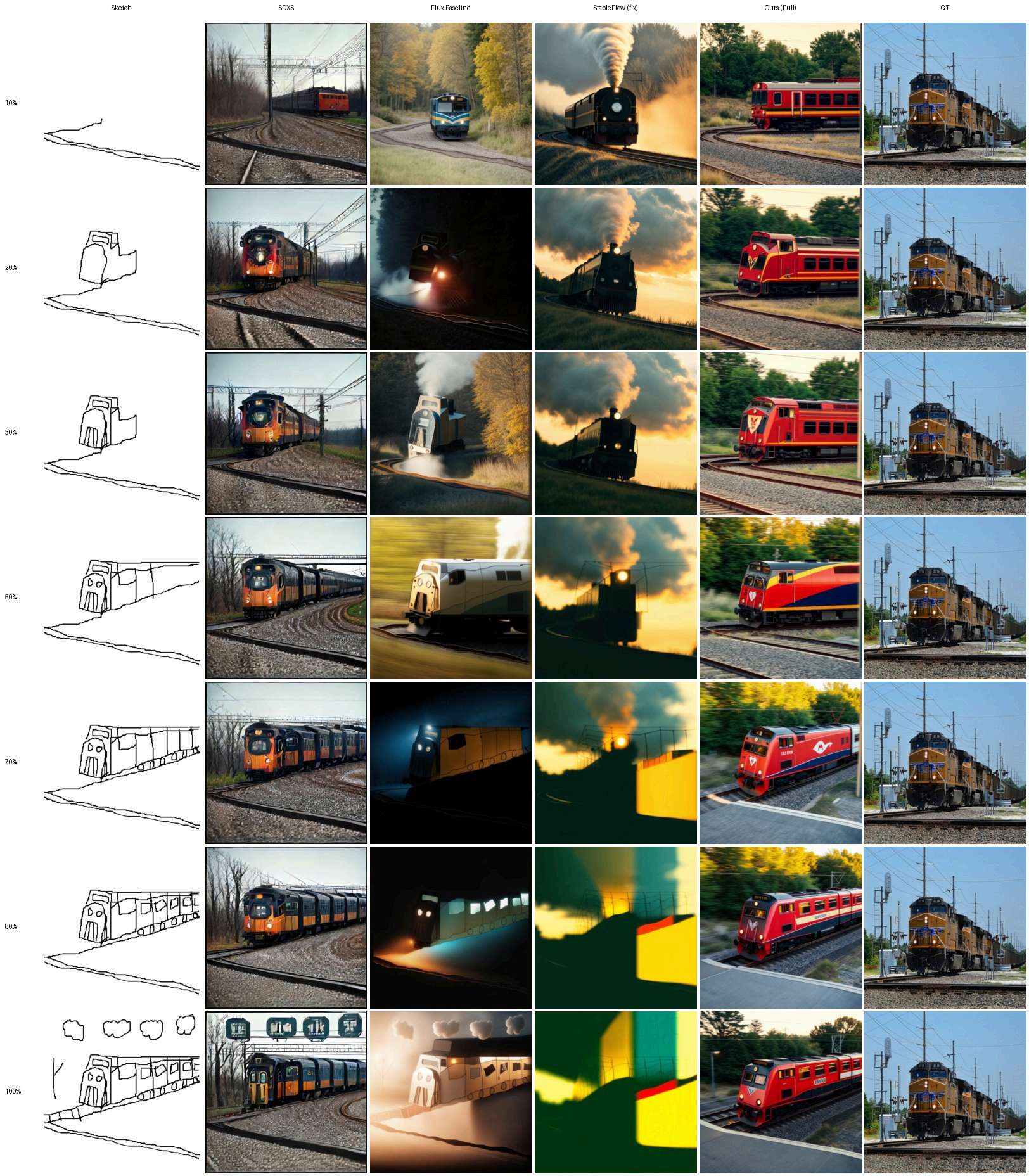
Figure 33 · Complete seven-stage comparison
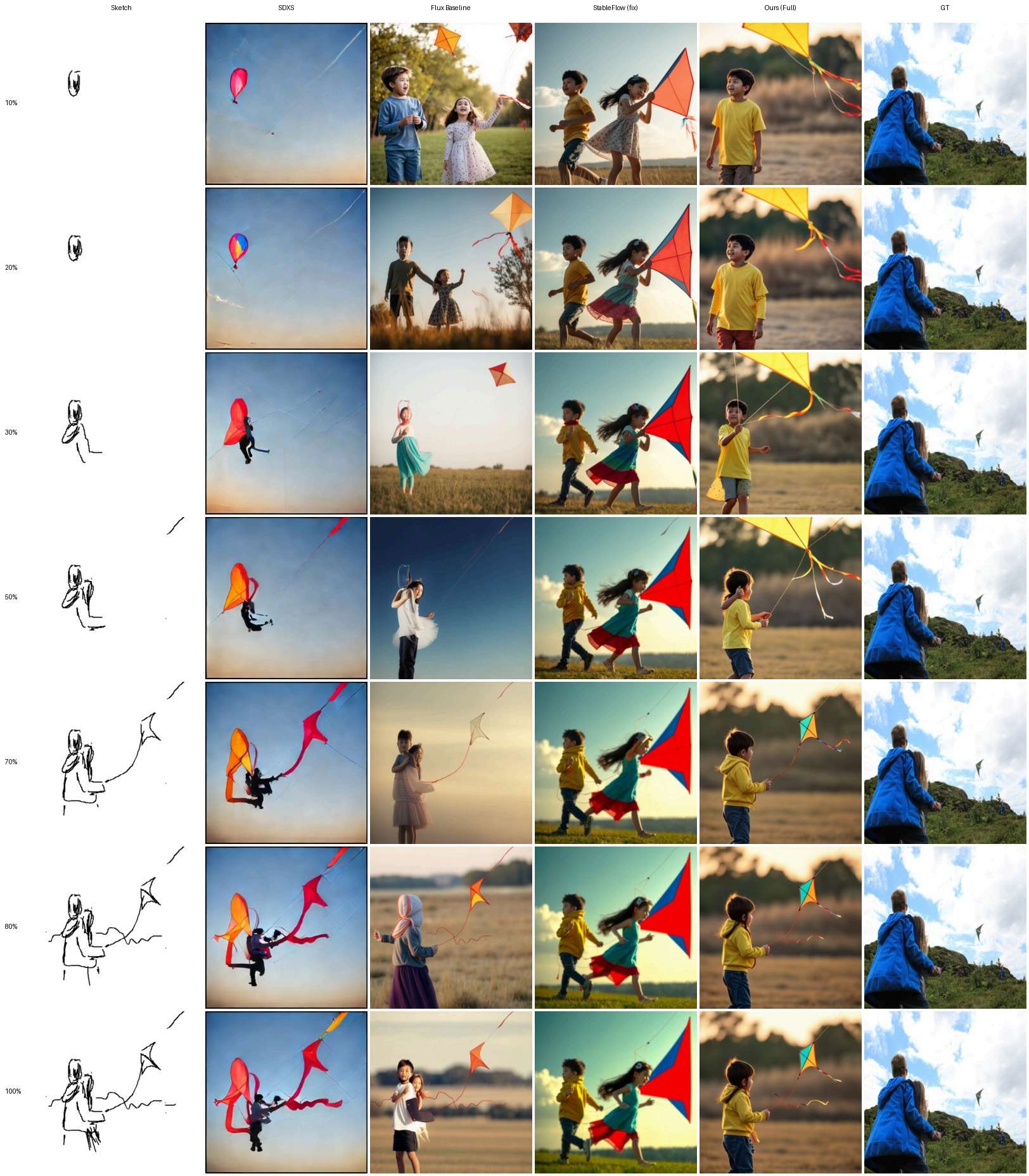
Figure 34 · Complete seven-stage comparison
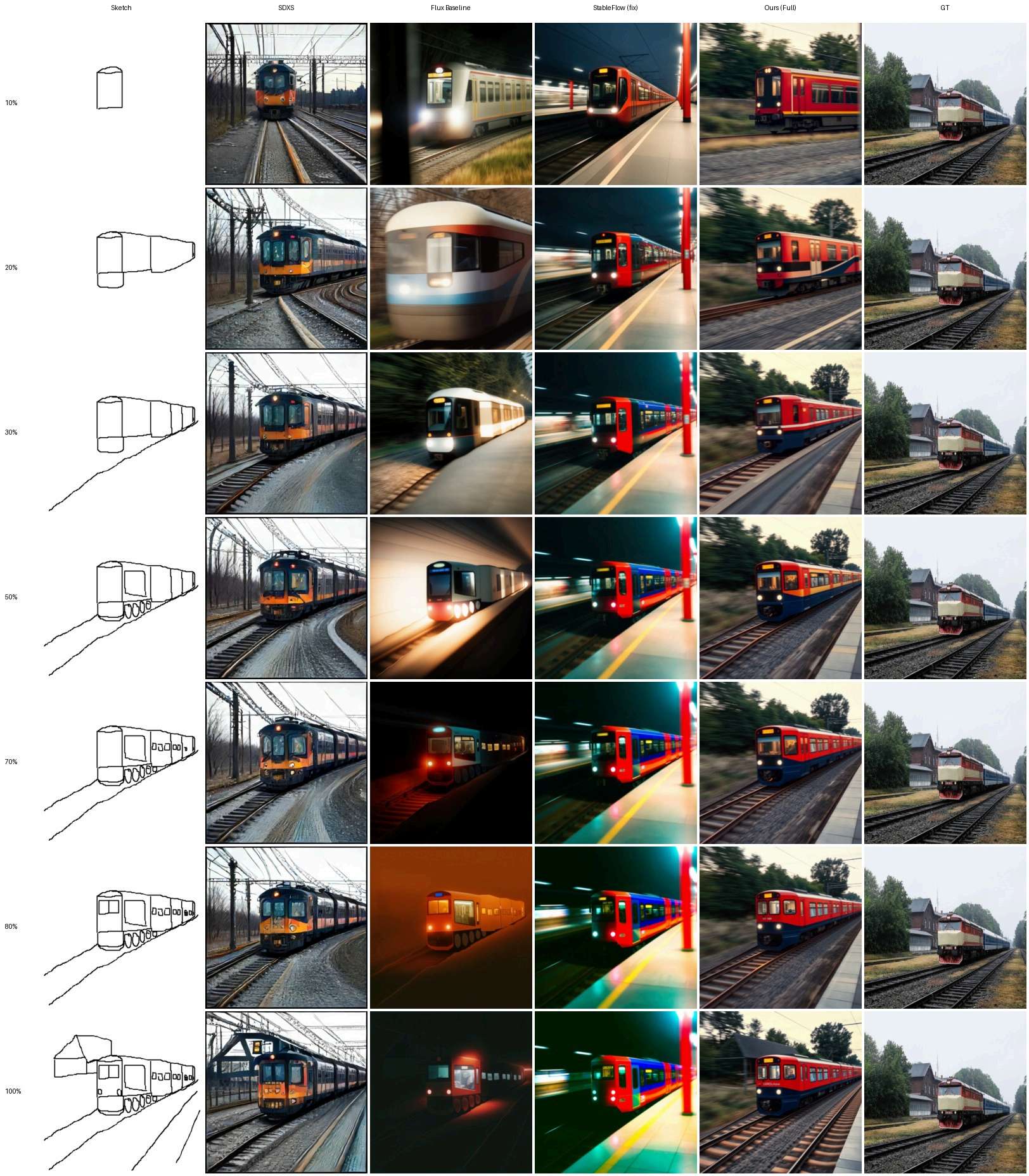
Figure 35 · Complete seven-stage comparison
These are the original supplementary figure images, including all compared methods and the reference photograph. Pose accuracy and heavily overlapping strokes remain challenging; see Figure 23 and Figure 34.
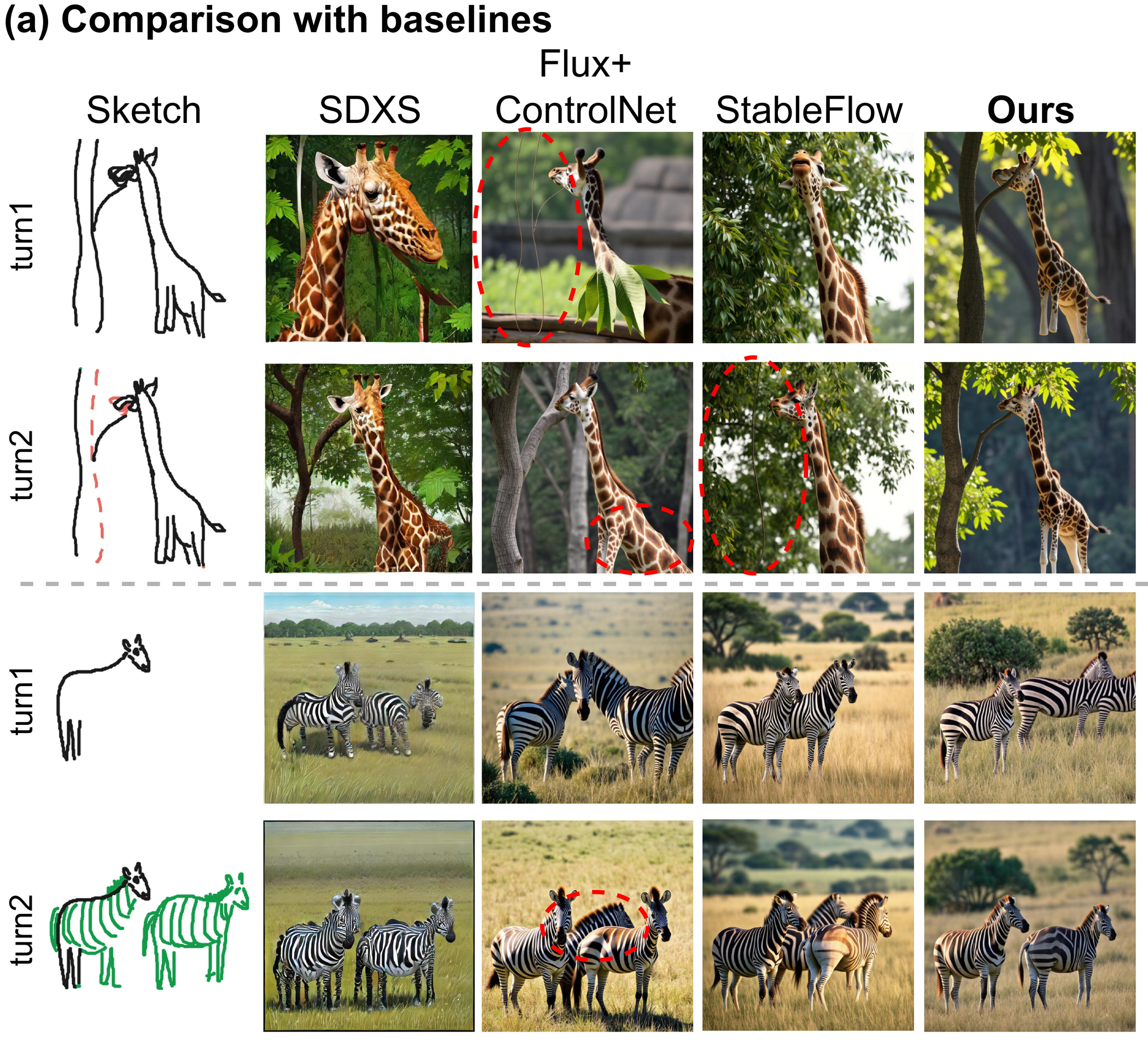
Additional examples from the main paper. The original output panels, sketch annotations, and comparison labels are preserved.
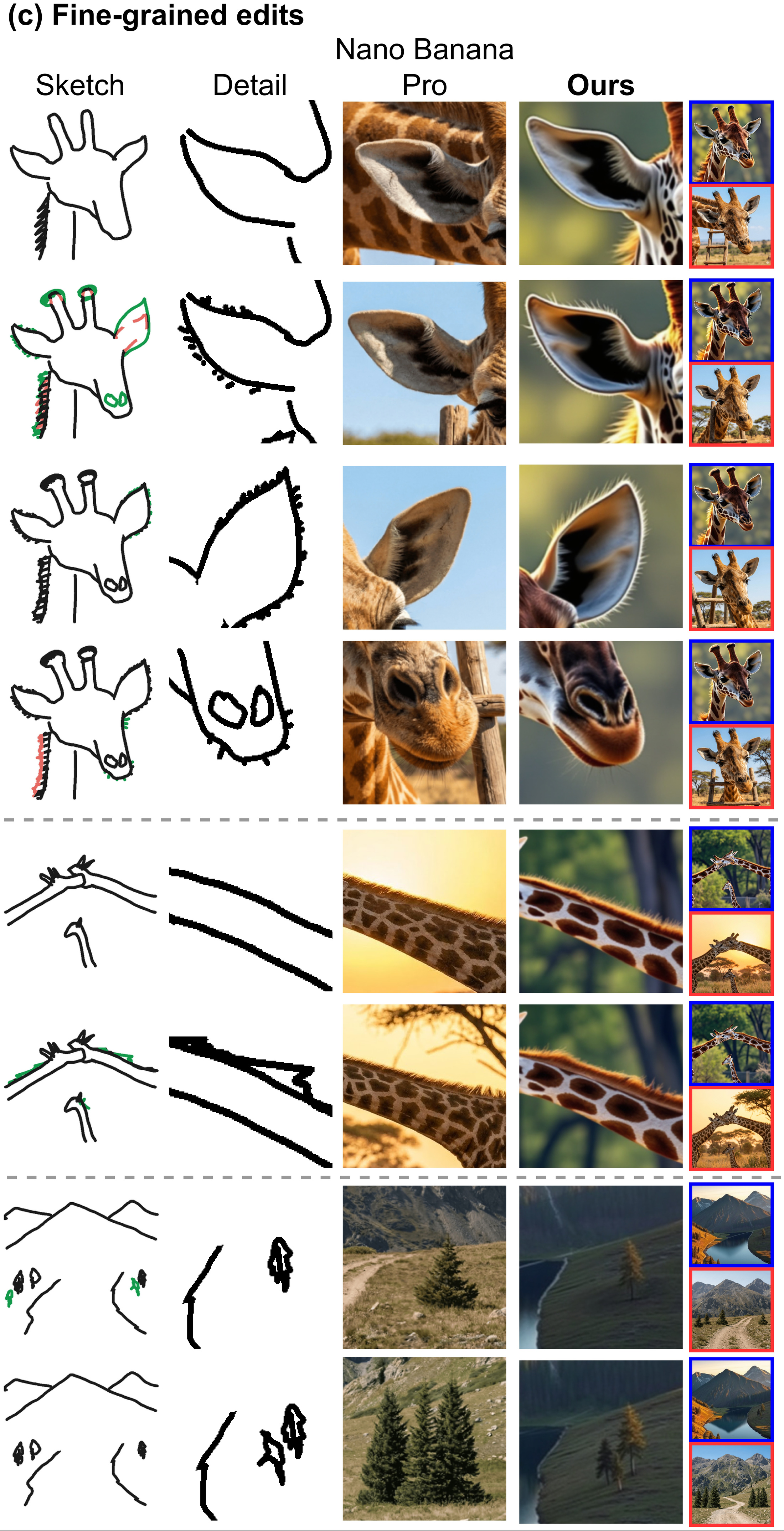
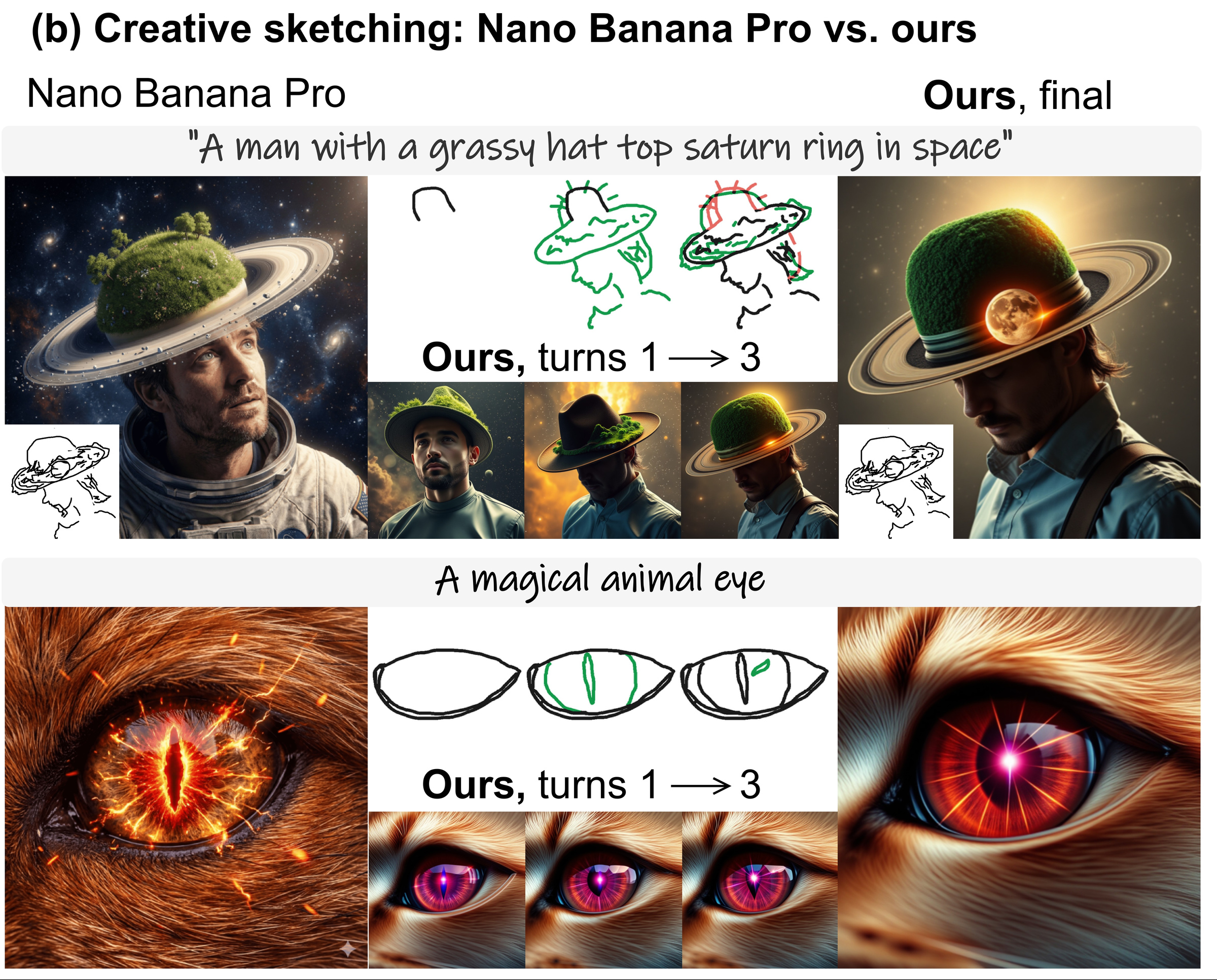
The Nano Banana Pro examples are qualitative comparisons through its public interface, not a controlled benchmark ranking. The paper describes the comparison protocol in Appendix F.
@misc{basu2026progressnet,
  title={ProgressNet: Sketching and Prompting with a Frozen Text-to-Image Model},
  author={Arkaprabha Basu and Chaitat Utintu and Yi-Zhe Song},
  year={2026},
  eprint={2610.03512},
  archivePrefix={arXiv},
  primaryClass={cs.CV},
  url={https://arxiv.org/abs/2610.03512}
}
This work was supported by the Arts and Humanities Research Council through the CoSTAR National Lab (Grant Ref. AH/Y001060/1).